Recovering a Broken Production Stack After a Server Upgrade
For the last several days, I have been working through one of the most frustrating — and valuable — troubleshooting experiences I have had so far in my transition into IT.
The project is a production website I built for Farm City Feed Stores. The stack includes Next.js, KeystoneJS, PostgreSQL, Prisma, Docker / Docker Compose, Nginx, and PM2.
The original production server had reached end-of-life and needed to be upgraded. After the server migration, the application stack no longer behaved the way it had before.
At first, the problem looked small: the frontend could talk to Keystone, but product images were returning as null or showing as broken links.
It turned out that the image problem was only the first visible symptom.
What followed became a full production recovery involving Docker volumes, PostgreSQL restoration, Prisma schema conflicts, Keystone image storage, GraphQL, frontend URL handling, deployment, and backups.
The Environment
The application is split into two main projects:
- Frontend: Next.js
- Backend / CMS: KeystoneJS
- Database: PostgreSQL 15
- ORM / database tooling: Prisma
- Backend containers: Docker Compose
- Reverse proxy: Nginx
- Frontend process manager: PM2
My goal was to get the same known-good configuration working locally first, then deploy that setup back to the production Linux server.
The First Symptom: Products Without Images
The frontend was able to reach the Keystone GraphQL API, but product images were coming back as null.
I had already verified that the image files physically existed, so I started by testing the image path directly.
A request such as:
http://localhost:5000/images/<image-file>.jpg
returned the image correctly.
That was an important clue. It proved that:
- the image files existed;
- the filesystem path was correct;
- Express could serve the
/imagesroute; - the problem was somewhere between Keystone's image metadata, the database, and the GraphQL response.
Discovering the Wrong Database
The next major clue came from querying PostgreSQL directly.
Keystone was connected to:
farmcity_db
but that database contained:
0 Product rows
0 Manufacturer rows
That immediately explained why the frontend was returning:
{ "data": { "products": [] } }
The application was connected successfully — just to the wrong or incomplete copy of the database.
I inspected the Docker volumes and found an older anonymous PostgreSQL volume. I mounted it temporarily into a PostgreSQL container and discovered two databases:
farmcity_db
farmcitydb
The original application database was farmcitydb.
When I queried it, I found:
71 products
46 users
That was the moment I knew the original production data was still recoverable.
Recovering PostgreSQL Safely
Before changing anything, I created a fresh PostgreSQL dump using pg_dump.
I restored the original farmcitydb data into the current farmcity_db database using pg_restore.
After restoration:
SELECT COUNT(*) FROM "Product";
returned:
71
The data was back.
But Prisma immediately found another issue.
One VariantPrice record had both a NULL variant and a NULL price, while the current Keystone schema required price.
I checked both relationship tables to make sure the row was not referenced by any products or sale prices. It was completely orphaned, so I deleted only that single invalid record.
That allowed the schema synchronization to continue without resetting or destroying the database.
Migrating Legacy Keystone Image Metadata
The restored database also contained an older Keystone image field column:
productImage_mode
All 71 products had:
productImage_mode = local
The newer generated Prisma schema no longer expected that column.
Before allowing Prisma to remove it, I verified that all 71 products still had their actual image identifiers in productImage_id.
All 71 were present.
With the database backed up and the image IDs confirmed, I allowed Prisma to drop the obsolete productImage_mode column.
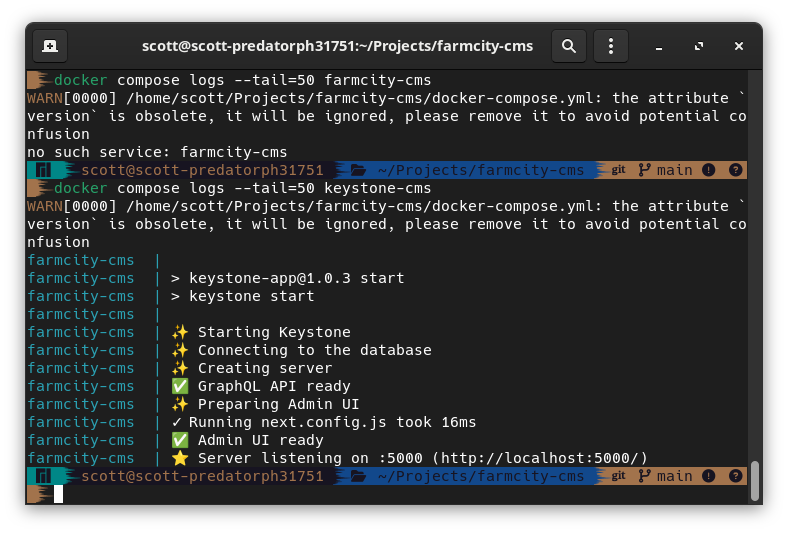
After that, Keystone started normally:
GraphQL API ready
Admin UI ready
Server listening on :5000
Fixing Keystone Image Storage
The next step was making the image setup explicit and portable.
Instead of relying on the old Keystone local-storage configuration, I configured the productImage field to write files into:
public/images
I also configured Keystone's Express server to expose that directory:
app.use(
  "/images",
  express.static(path.resolve(process.cwd(), "public/images")),
);
The image storage function now generates full URLs using the backend URL.
A direct HTTP request returned:
HTTP/1.1 200 OK
Content-Type: image/jpeg
At that point, the backend image pipeline was working correctly.
Finding the Frontend Bug
Once Keystone started returning the correct image URL, the frontend exposed another problem.
The GraphQL response already contained a complete URL:
http://localhost:5000/images/example.jpg
but the Next.js frontend was prepending the backend URL again.
The resulting URL looked like this:
http://localhost:5000http://localhost:5000/images/example.jpg
The fix was simple once the problem was isolated.
Instead of:
src={`${serverUrl}${url}`}
the component now uses:
src = { url };
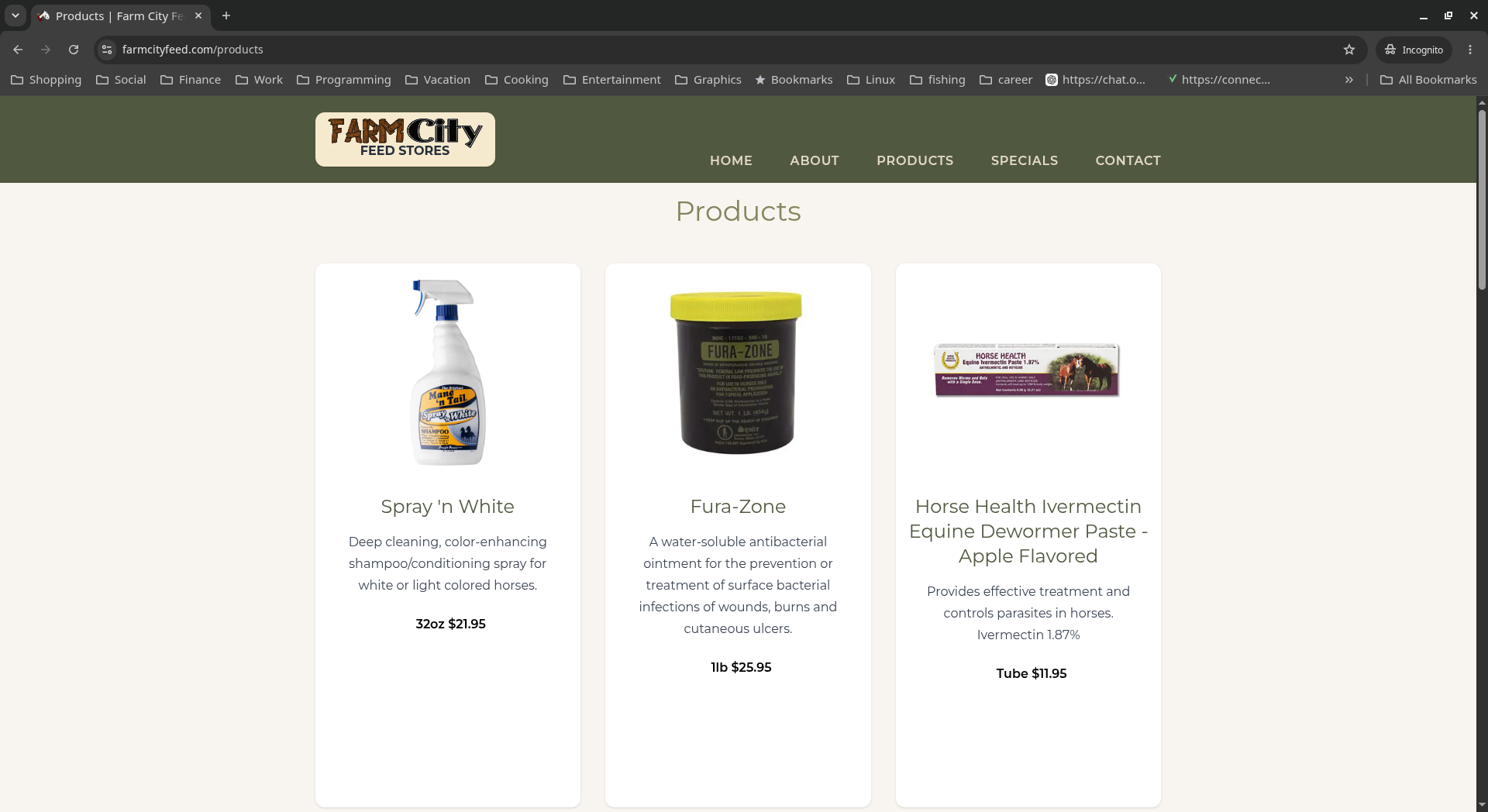
I also fixed a layout issue caused by product images having different aspect ratios.
Each image now sits inside a fixed 250x250 container using object-contain, which keeps the images proportional without changing the height of each product card.
Moving Keystone Back Into Docker
Once everything worked locally, I moved Keystone back into Docker Compose alongside PostgreSQL.
I kept them as separate containers:
Next.js frontend
        |
        | GraphQL / HTTP
        v
KeystoneJS container
        |
        | postgres:5432
        v
PostgreSQL container
One of the important Docker lessons from this project was the difference between localhost and a Compose service name.
When Keystone ran directly on my workstation, the database URL used:
localhost:5432
Inside Docker, localhost refers to the Keystone container itself.
The correct Docker connection is:
postgres:5432
where postgres is the Docker Compose service name.
I separated the environment configuration into:
.env
.env.docker
That allows the host version to use localhost while the containerized version uses the internal Docker hostname.
Persisting Uploaded Images
The image files also needed to survive container rebuilds.
I added a bind mount:
volumes:
  - ./public/images:/app/public/images
Now uploaded product images live on the host filesystem and are mounted into the Keystone container.
Rebuilding or recreating the Keystone container no longer risks deleting the product images.
I tested this by restarting the Keystone container and confirming that GraphQL, the Admin UI, PostgreSQL, the frontend, and the images all came back correctly.
Redeploying the Production Backend
With the local Docker stack working, I pushed the known-good configuration to GitHub.
The production server still had several local changes, so instead of trying to merge a broken working tree, I backed up the server first:
- database dump;
- uploaded images;
- server configuration;
- local code changes.
Then I replaced the old working copy with a fresh clone of the known-good backend.
The production environment file was restored separately, the live product images were copied into the new deployment, and the existing PostgreSQL Docker volume was preserved.
During the server build, I found another useful Docker lesson: production secrets should not be copied into a Docker image just so the application can build.
The Docker build needed valid Keystone configuration values, but I did not want to bake the real production SESSION_SECRET or database credentials into an image layer.
I used build-only placeholder values while leaving the real values to be injected at runtime through .env.docker.
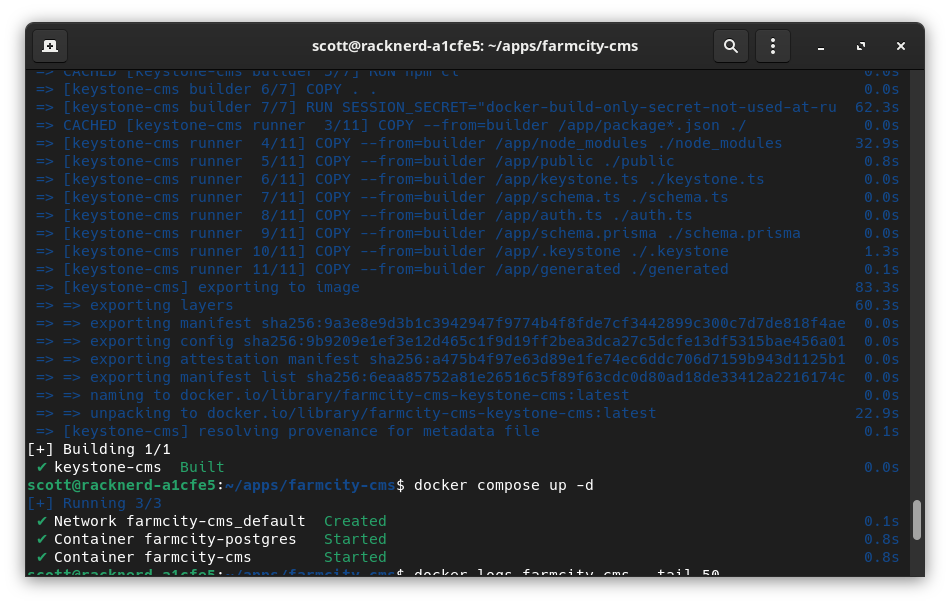
After rebuilding:
Container farmcity-postgres Started
Container farmcity-cms Started
The Keystone logs confirmed:
GraphQL API ready
Admin UI ready
Server listening on :5000
I was able to sign into the production Keystone Admin UI, and the frontend immediately began pulling product data again.
Updating the Production Frontend
The frontend server was still running the older Next.js code, so I pulled the image URL fix from GitHub.
After rebuilding:
npm run build
I restarted the production process with PM2:
pm2 restart farmcity-nextjs
The live Products page loaded successfully.
The final verification was straightforward:
- product data displayed;
- images loaded;
- cards were consistently sized;
- Admin login worked;
- Docker containers restarted cleanly;
- no obvious frontend errors remained.
Building a Real Backup Strategy
After spending several days recovering this stack, I did not want to finish without creating a recovery point I actually trusted.
I created a complete dated backup set containing:
PostgreSQL database
2026-08-13-farmcity-live.dump
Uploaded product images
2026-08-13-farmcity-live-images.tar.gz
Production configuration
2026-08-13-farmcity-live-config.tar.gz
I copied all three backups from the server to my local workstation:
/var/backups/farmcityfeed.com/
More importantly, I verified them.
For the image and configuration archives, I listed their contents with tar -tzf.
For PostgreSQL, I verified the custom dump using:
pg_restore -l 2026-08-13-farmcity-live.dump
A backup is only useful if it can actually be read when you need it.
What This Project Taught Me
The biggest lesson from this project was not a specific Docker or PostgreSQL command.
It was learning to troubleshoot the system one layer at a time.
At different points, the problem could have looked like PostgreSQL, Keystone image storage, GraphQL, Docker networking, Next.js image handling, or the database schema.
Some of those things really were broken — but not all at the same time.
The process became much more manageable once I stopped making broad changes and started proving each layer independently:
- Does PostgreSQL contain the expected rows?
- Is Keystone connected to that exact database?
- Does GraphQL return the expected object?
- Does the image URL return HTTP 200?
- Does the frontend use that URL correctly?
- Does the container survive a restart?
- Can I restore the system if the next change goes wrong?
That mindset made the difference.
The Final Architecture
The working production stack now looks roughly like this:
                    Internet
                       |
                       v
                     Nginx
                       |
            +----------+----------+
            |                     |
            v                     v
       Next.js / PM2        KeystoneJS :5000
                                  |
                                  | Docker network
                                  v
                            PostgreSQL :5432
                                  |
                                  v
                          Persistent volume

                     KeystoneJS
                         |
                         v
                 public/images
                         |
                         v
                    Bind mount
The key pieces of application state — PostgreSQL data and uploaded images — are now persisted independently from the disposable application container.
Looking Back
There were several points during this project where I felt like I was just turning my wheels.
I had spent days looking at the same symptoms, trying different fixes, and sometimes solving one problem only to reveal another underneath it.
But getting to the end changed how I look at the experience.
I did not just fix a broken image field.
I recovered an application database from an old Docker volume, reconciled schema changes, rebuilt image storage, corrected Docker networking, fixed the frontend, redeployed the production stack, and created a verified backup strategy.
As I continue working toward a career in IT, this is exactly the kind of experience I want to document.
Tutorials are useful for learning what a command does.
Projects like this are teaching me when to use it, why to use it, and how to recover when things do not go according to plan.
And that is probably the part of this journey I am enjoying the most.